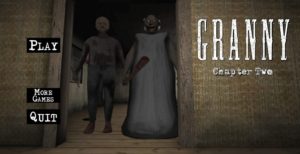
Robbie Horror: Granny in Backrooms — Liminal Maze Survival, Stealth Evasion & Terrifying Escapes
Robbie Horror: Granny in Backrooms delivers a nerve-wracking crossover of liminal horror, sound-sensitive stealth, and claustrophobic maze navigation directly in your web browser on Granny.games. Trapped inside the endless, mono-yellow corridors of the Backrooms alongside the notorious horror mascot Robbie and a relentless, sharp-eared Granny entity, your core objective is to search for hidden exit keys without making a sound. Consequently, tiptoeing past creaky floorboards, managing flashlight battery life, and slipping under yellow office desks are vital to avoiding instant capture. Furthermore, if you crave spine-chilling stealth adventures and maze escape challenges, explore our full directory of unblocked Granny games online on Granny.games.
Liminal Corridors, Sound Distractions & Keycard Puzzles
Surviving the unsettling yellow labyrinth in Robbie Horror: Granny in Backrooms demands high spatial awareness and calm decision-making under pressure. Initially, exploring early hallway sectors allows you to collect spare batteries, fuse valves, and iron keys hidden inside filing cabinets. Because dropping objects or running generates loud footsteps that instantly alert both Robbie and Granny, throwing distraction items into opposite corridors is vital to clearing safe pathways. In addition, unlocking deeper level gates reveals new entity behaviors and cryptic wall clues that point toward the final exit door.
How to Play & Controls
Navigate yellow office mazes, manage battery light, and evade roaming horror entities using simple controls:
- Move & Look Around: Use WASD Keys or Arrow Keys to walk quietly; drag the Mouse to survey hallway corners and ceiling gaps.
- Crouch & Stealth Mode: Press C Key or Ctrl Key to crouch down, reducing footstep noise and squeezing under desks.
- Toggle Flashlight: Press F Key to switch your flashlight on or off to preserve battery power in dark sectors.
- Interact & Search: Press E Key to examine drawers, pick up exit keys, and open heavy security doors.
- Drop Item Distraction: Finally, press G Key to throw held items, luring pursuers away from your target corridor.
Frequently Asked Questions (FAQ)
- What should I do when flickering lights indicate Granny or Robbie is approaching?
Turn off your flashlight immediately, crouch down, and hide behind pillars or under office desks until footstep sounds fade away. - How do I find the main exit door in the Backrooms maze?
Specifically, follow red exit arrows chalked on yellow wallpaper while collecting master keycards from locked filing cabinets. - Is Robbie Horror: Granny in Backrooms playable unblocked on school Chromebooks?
Yes, Robbie Horror: Granny in Backrooms runs seamlessly in modern WebGL and HTML5 web browsers across Chromebooks, desktop PCs, and laptops with no installation needed.
More Recommended Granny & Horror Games
If you outsmarted the entities and escaped the yellow maze in Robbie Horror: Granny in Backrooms, test your survival skills across these top titles on Granny.games:
- Granny in Real Life – Experience realistic first-person house stealth, bypass security locks, and escape the scary mansion.
- Scary Granny – Sneak through dark rooms, solve door mechanisms, and avoid the noise-sensitive grandmother.
- Creepy Granny Scream Scary Freddy – Survive intense crossover nightmare encounters, locate key items, and break free from haunted houses.
- Granny 1.5 – Revisit the iconic original survival formula with updated house traps, new secret rooms, and extra escape routes.
Title: Robbie Horror: Granny in Backrooms — Liminal Maze Survival, Stealth Evasion & Terrifying Escapes
Description: Play Robbie Horror: Granny in Backrooms on Granny.games. Navigate mono-yellow Backrooms, manage flashlight batteries, evade Robbie and Granny, find keys, and play online!
Slug: robbie-horror-granny-in-backrooms
Thumbnail Alt: “A player hiding behind a yellow Backrooms pillar while Granny and Robbie search the hallway in Robbie Horror: Granny in Backrooms”
Gameplay Alt: “First-person perspective picking up an exit keycard inside mono-yellow Backrooms corridors in Robbie Horror: Granny in Backrooms”
Atmosphere Alt: “Survival horror HUD displaying noise detection meters, flashlight battery gauges, and key inventory slots”

Comments