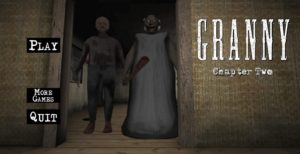
FNF vs Granny — The Boyfriend Knocked on the Wrong Door
Friday Night Funkin’ has faced off against demons, robots, possessed teachers, and the undead. FNF vs Granny adds one more to that list: the most terrifying elderly woman in browser gaming. In this fan-made mod, Boyfriend’s rap battle journey leads him directly to Granny’s house — and Granny, to no one’s surprise, is not pleased about the noise. The result is one of the most entertaining crossovers in the Friday Night Funkin’ games catalog: two wildly different horror concepts colliding in a rhythm battle that gives both characters new original music and stays faithful to the mechanics of both source games. Fans of the Granny series who want to see their pursuer in a completely different context will find it one of the most charming entries on the platform.
What Is FNF vs Granny?
FNF vs Granny is a fan-made mod for Friday Night Funkin’ in which Boyfriend faces Granny in a rhythm battle. The mod adds original songs written specifically for this encounter. It also brings custom animations for Granny as an FNF opponent. Moreover, the visual style blends the original game’s colorful aesthetic with the familiar imagery of Granny’s house.
The gameplay follows the standard FNF format: arrows scroll up the screen in sync with the music, and you press the matching keys at the correct moment to fill the health bar in your favor. Miss too many notes and Granny wins — which, given her reputation in every other context, feels especially appropriate. Best of all, the mod works as a standalone web experience with no download required.
How the Game Works
Four arrow directions scroll toward the top of the screen in time with the song. When an arrow reaches the hit zone, press the matching key. A successful hit pushes the health bar toward your side. In contrast, a missed note pushes it toward Granny. If the bar reaches her side completely, the rap battle ends and you restart.
Timing is the only skill that matters. Notes arrive at a consistent speed based on the difficulty setting, and the song’s rhythm tells you when to expect the next note. Players who feel the music — rather than only watching the arrows — develop better timing over multiple attempts. Furthermore, the pattern recognition that builds across repeated plays transfers directly to the rest of the FNF mod catalog. Every mod uses the same arrow-hit format, so timing skills from one carry over to all others.
Three difficulty levels give you options. Easy mode reduces arrow density, giving new players time to learn the rhythm. Normal mode delivers the intended experience. Hard mode increases note density to the point where pure reaction falls short — you need to have internalized the song’s rhythm to succeed. The same escalation structure applies across all rhythm games on the platform.
Features Worth Knowing
- Original songs — music composed specifically for the Granny encounter, designed to reflect her character while fitting the FNF rhythm battle format.
- Custom Granny animations — Granny is reimagined as an FNF opponent with custom sprite work and animations that bring her into the game’s visual language without losing her identity.
- Three difficulty levels — Easy, Normal, and Hard provide a range from accessible introduction to genuine timing challenge.
- Standalone browser experience — no download or base game installation required. The mod runs directly in any modern browser.
- Health bar tension system — the same tug-of-war mechanic as the original FNF, where consistent hits push the bar your way and misses push it back.
- No downloads required — plays directly in your browser like all unblocked games on Granny.games.
Controls and How to Play
Basic Controls
Use the Arrow Keys or WASD to hit notes — left, down, up, and right correspond to the four arrow directions. Press the key when the scrolling arrow overlaps the stationary marker at the top of the screen. Enter confirms menu selections. Esc pauses or returns to the menu. No mouse input is required during gameplay.
Tips for New Players
Start on Easy and listen to the full song before hitting every note. Understanding the rhythm before your fingers execute it produces cleaner first attempts. In other words, one listening pass through Easy mode builds the pattern recognition that makes Normal immediately manageable afterward.
Focus on the hit zone, not the scrolling arrows. The stationary markers at the top of the screen determine timing. Watching the arrows approach rather than the hit zone consistently produces late inputs. Instead, keep your eyes at the top of the screen and let peripheral vision track the incoming notes.
Accept misses on hard note clusters without panicking. FNF vs Granny’s hard mode includes runs of rapid consecutive notes that most players miss partially on first exposure. However, missing a few notes in a cluster does not end the round — the health bar buffers enough to recover from a brief bad section. Staying calm through difficult passages and re-engaging cleanly afterward extends runs that a panic-driven button mash would end.
Frequently Asked Questions
Is FNF vs Granny an official mod?
FNF vs Granny is a fan-made mod created by the community, not an official release from the Friday Night Funkin’ development team or DVloper (Granny’s creator). Fan mods are a core part of the FNF ecosystem — the game’s open-source framework specifically enables this kind of creative crossover content.
Do I need the original Friday Night Funkin’ to play?
No — the browser version of FNF vs Granny is self-contained. It runs as a standalone experience without requiring the base game to be installed or purchased. Open the page and the mod starts immediately.
Is it suitable for all ages?
Yes — FNF vs Granny contains no mature content. The rhythm gameplay is appropriate for all ages, and the crossover premise is more comedic than frightening despite Granny’s horror origins. It is one of the more family-friendly entries in the FNF mod catalog.
How many songs does the mod have?
FNF vs Granny features original tracks composed specifically for the Granny encounter. The exact song count varies by the specific version of the mod — most FNF Granny mods include between one and three original tracks across different difficulty levels.
Does it work on school or public computers?
Yes. The game runs in any modern browser without plugins or installation, making it accessible on Chromebooks, managed school computers, and any other internet-connected device.
More Games on Granny.games
If FNF vs Granny left you wanting more, these titles are worth playing next:
- Friday Night Funkin’ Games — The full FNF mod catalog on the platform, including dozens of crossover and original mods beyond the Granny encounter.
- Granny vs The Baby in Yellow — Another Granny crossover that reimagines the character in a completely unexpected context, for players who enjoyed FNF vs Granny’s tonal contrast.
- Rhythm Hell — Polyrhythm-based browser rhythm game that challenges pure timing precision, for players who want to push their FNF-developed beat-reading skills further.
- Sprunki Games — Music creation and rhythm experiences that share FNF vs Granny’s emphasis on musical engagement and character-driven presentation.
- Granny Barbie — Another Granny spin-off with a distinctive aesthetic twist, for players who enjoyed seeing the character in an unexpected visual context.

Comments